SurePath Advisors
Social Post Builder
Quick start guide for Pam and Peggy
About 5 minutesper post, start to finish
Where to find it
- Sign in to Toolbelt and open SurePath-Marketing.
- Click the Home tab. The form opens right there.
- No chatting needed. It is all buttons.
Good to know
- You are the only approver. Three approvals: words, picture, time.
- Nothing posts until the final button.
- Posts are short on purpose so they sound like a real person.
| Step | What you do | Wait |
|---|---|---|
| 1 Topic | Click your name, then pick a topic or type your own | Ideas: about 1 minute |
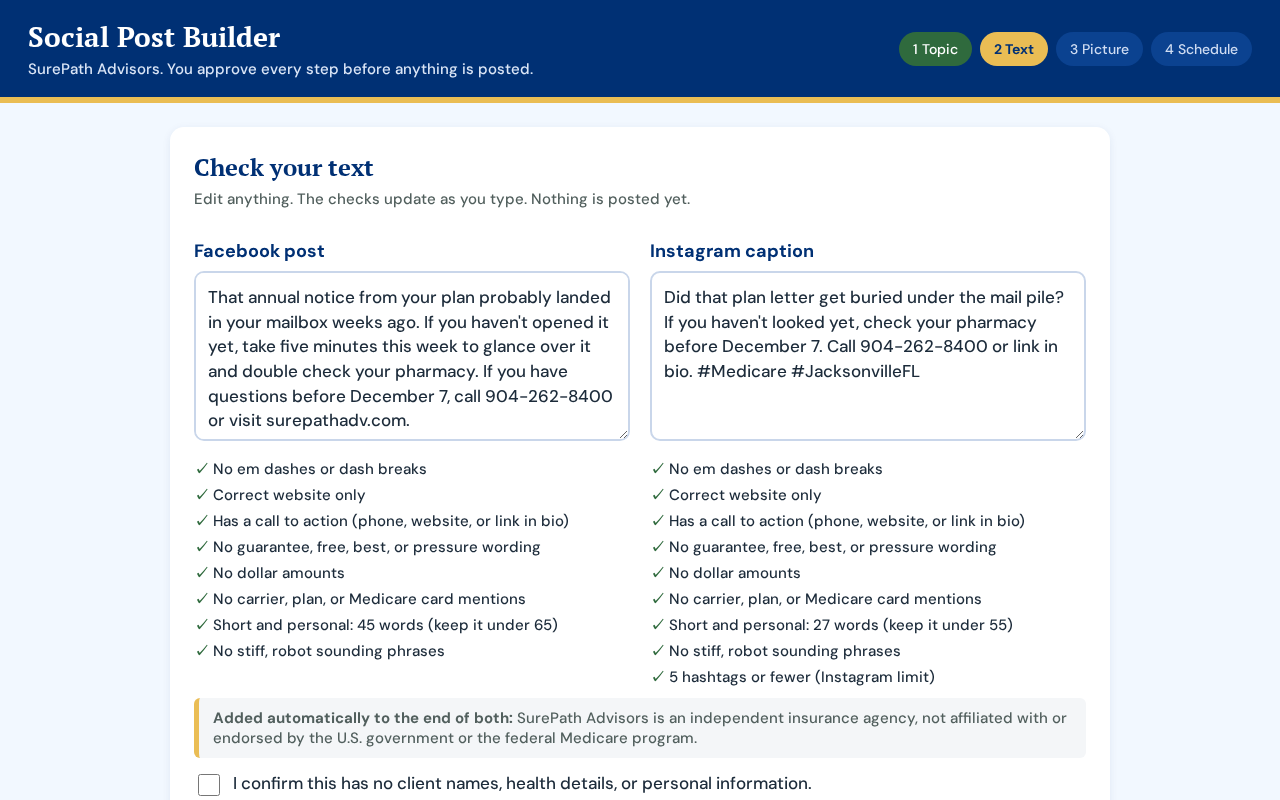
| 2 Words | Read the Facebook post and Instagram caption, edit if you like, approve | Writing: about 1 minute |
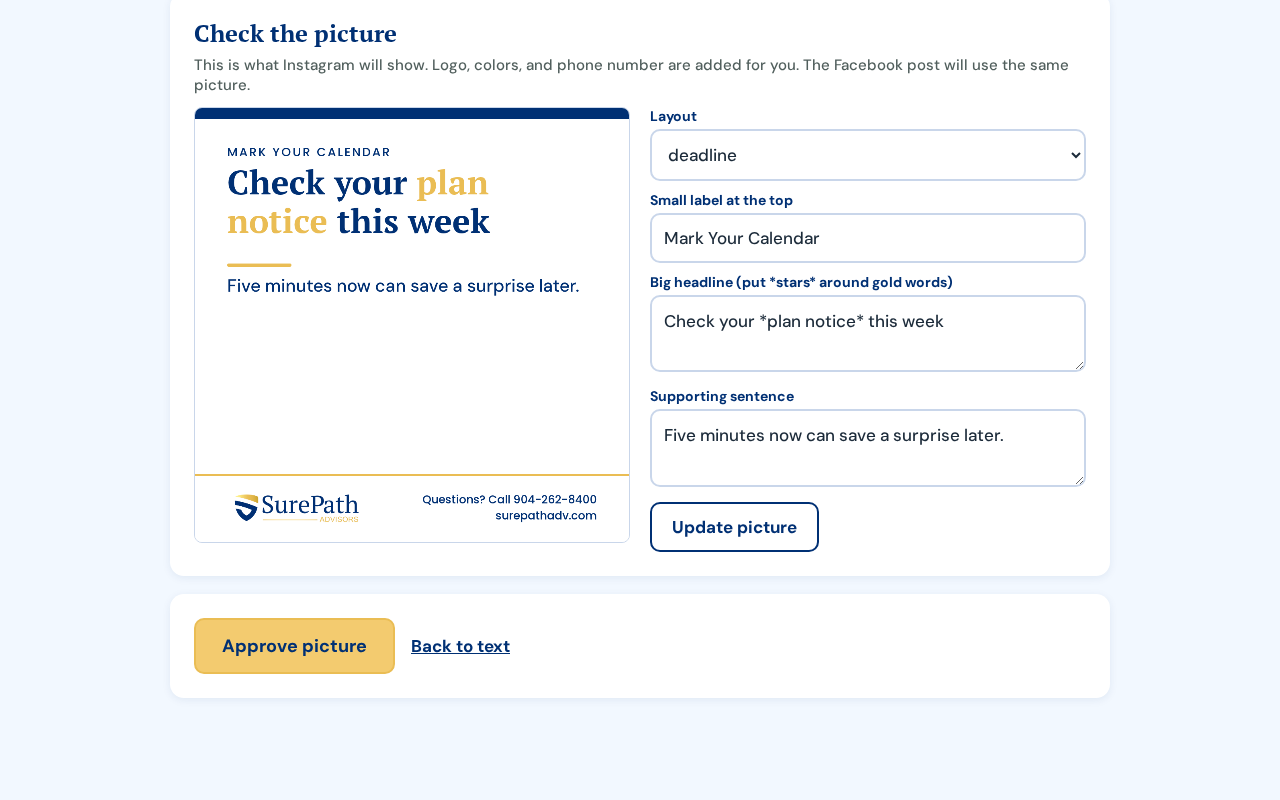
| 3 Picture | Look at the graphic, change the words if you like, approve | About 15 seconds |
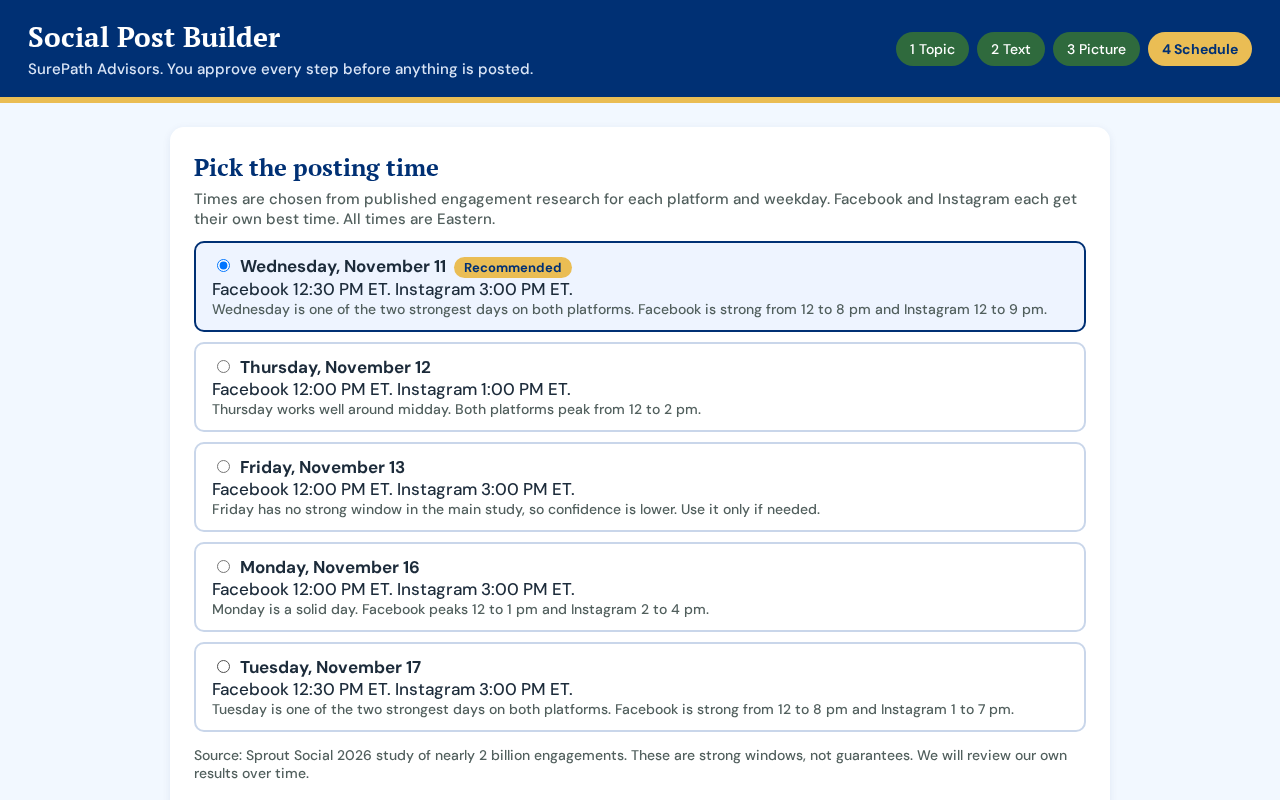
| 4 Time | Pick a day and time (best one is tagged Recommended), approve | About 20 seconds |
Step 1: Pick your topic
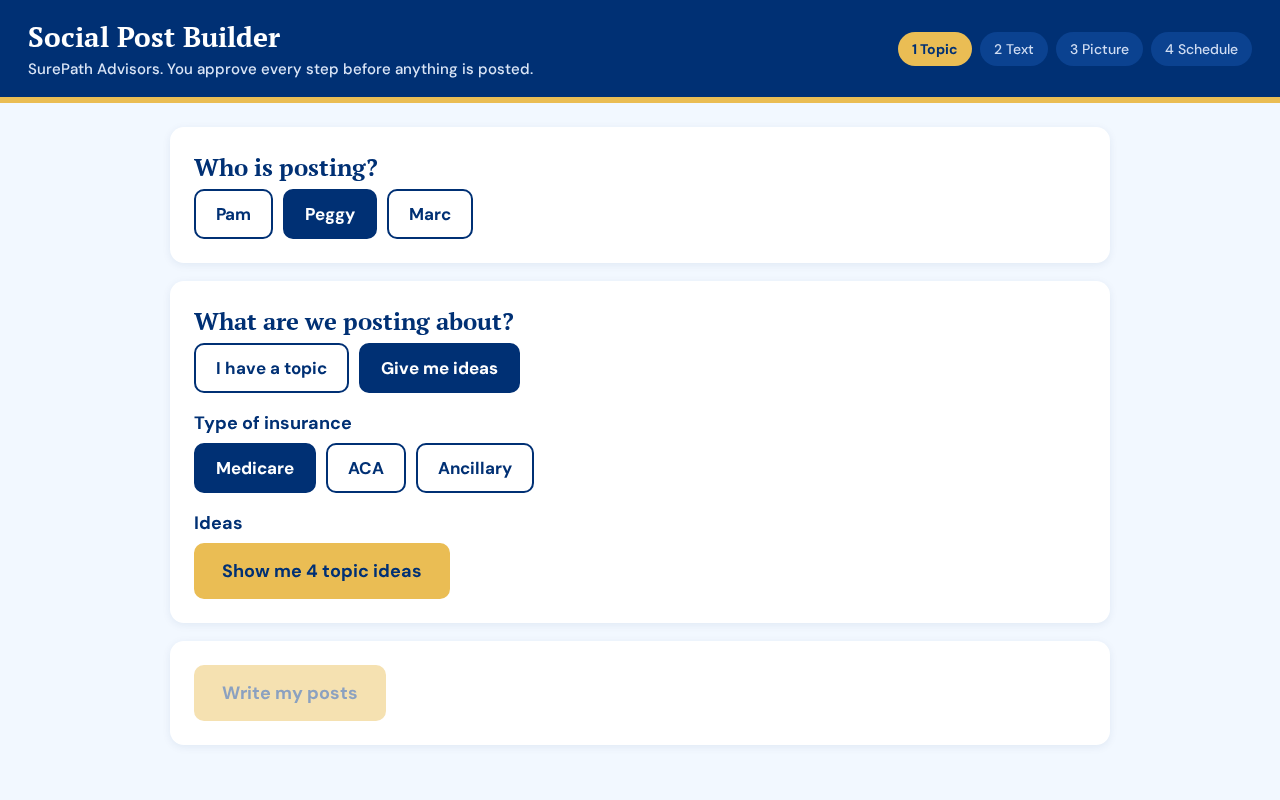
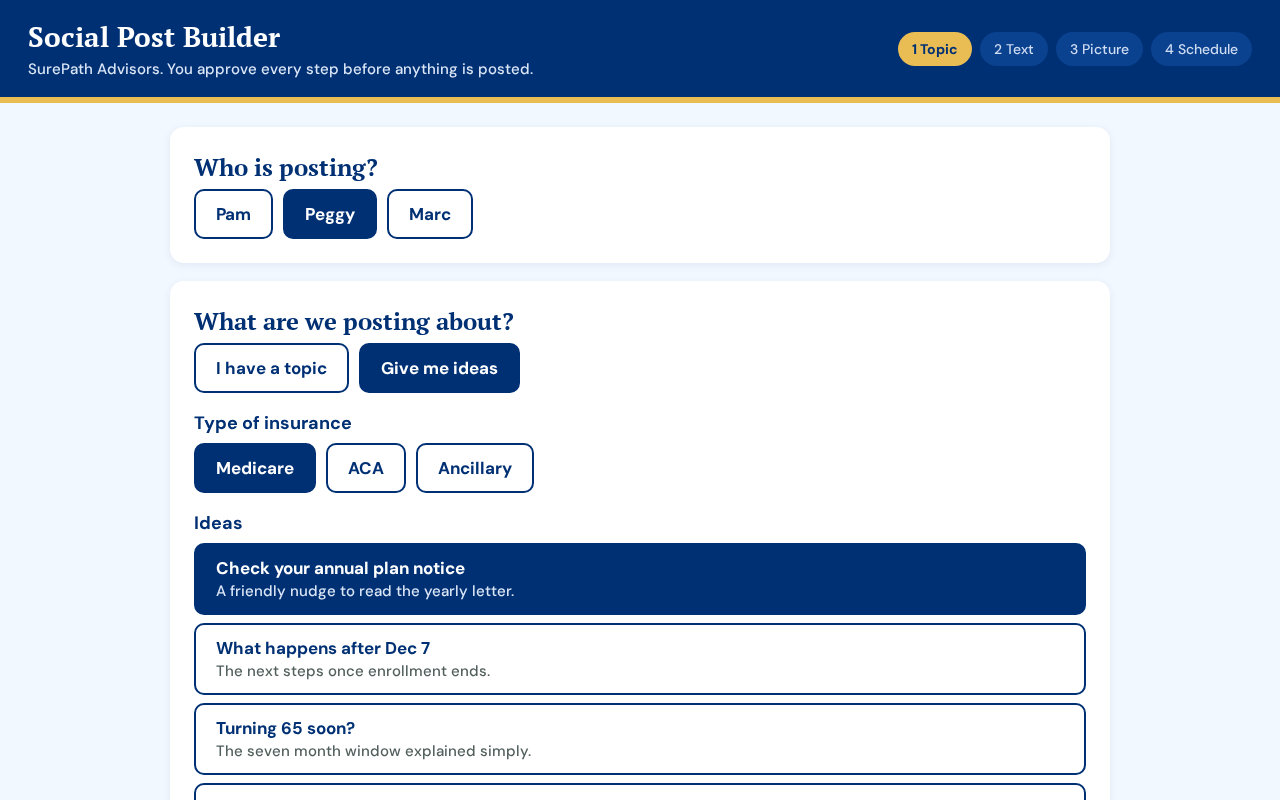
Medicare: enrollment windows, turning 65, plan reviews. ACA: open enrollment, how coverage works. Ancillary: dental, vision, accident, life.
If you see the yellow message, nothing is wrong
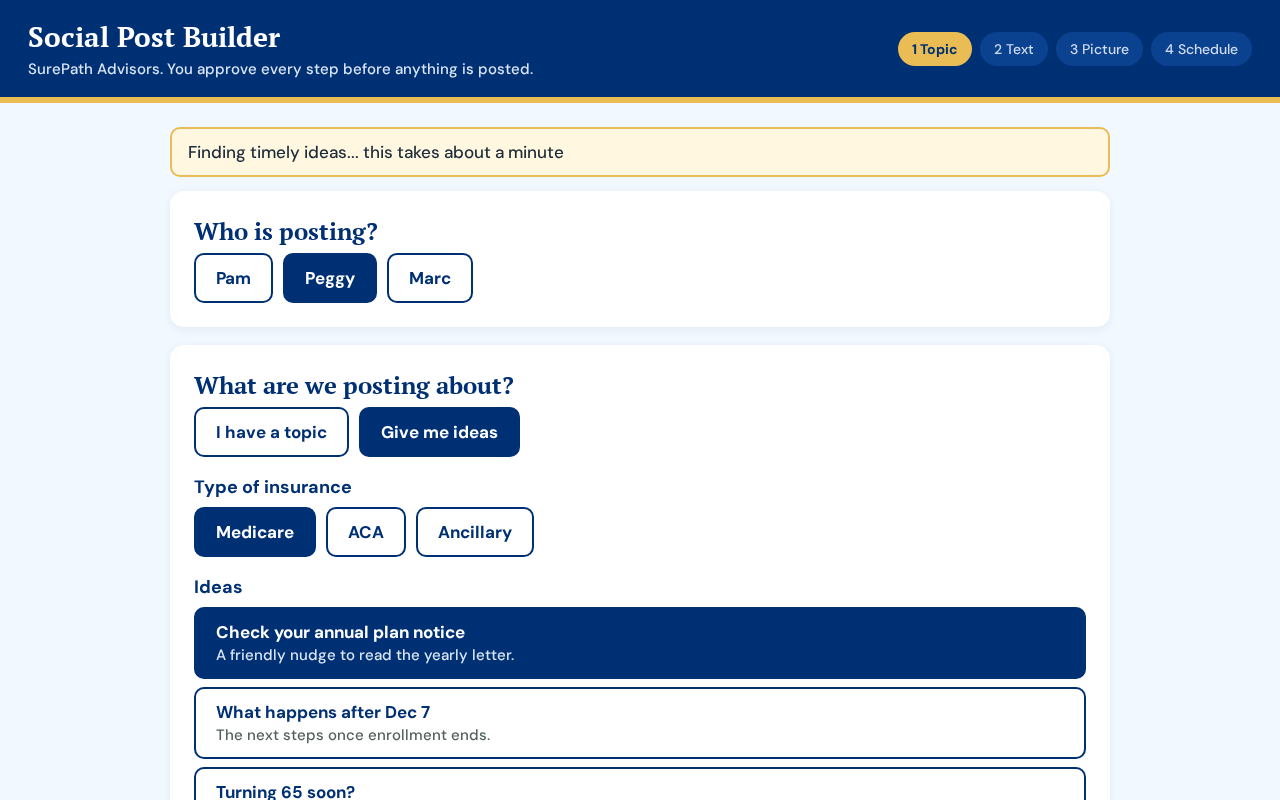
Ideas and writing each take about a minute. Keep the page open and do not click again. If a red message appears, click the same button once more. Still stuck? Refresh and start over. Nothing was posted.